Three professional decks
Clear now-and-next control, precise starts and professional transitions across Deck A, Deck B and Deck C.
Dedicated outside-broadcast & roadshow playout
WM Play brings music, carts, running orders, streaming and recording together for confident outside broadcasts and professional roadshows.
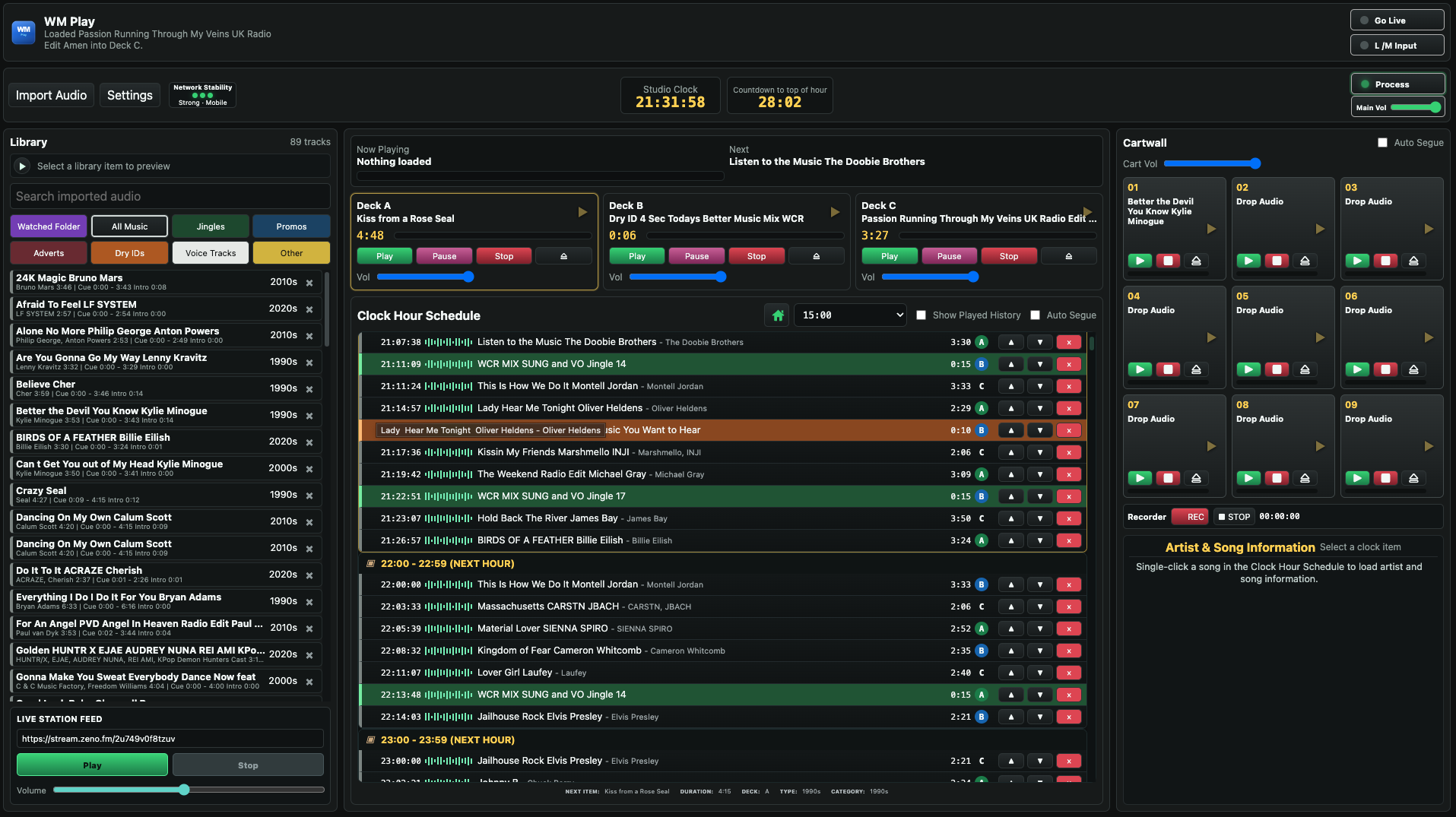 Actual WM Play interface
Everything in one place
Prepare playlists, manage live running orders, trigger instant audio, stream and record without switching between multiple applications.
Designed for presenters, outside-broadcast teams, roadshow operators and stations taking their programming out to a live audience.
Inside WM PLAY
From live music and instant carts to a fully prepared running order, WM Play keeps every part of your outside broadcast organised.
Clear now-and-next control, precise starts and professional transitions across Deck A, Deck B and Deck C.
Import and organise Music, Jingles, Dry IDs, Promos, Adverts, Voice Tracks and other station audio.
Keep jingles, effects, promos, IDs and frequently used audio ready for immediate playback.
Create, save and load complete hourly schedules using drag and drop, category selection and Generic Clocks.
Analyse Start, Intro, Vocal, Out and Effective End markers for accurate playback and smooth automatic segues.
Place voice content over music with automatic ducking and smooth recovery when the voice ends.
Encode and stream to compatible online radio services while recording your programme output.
Manage microphone and line inputs, programme and preview routing, processing, output levels and network stability while on location.
Why WM PLAY is different
WM Play brings the tools normally spread across a mixer, processor, recorder, encoder and several separate applications into one controlled outside-broadcast workflow.
Connect a microphone or line source directly and manage input, playback and output levels inside WM Play. External audio passes through the software, into the processor and on to the encoder—giving you a complete, controlled live chain from one machine.
MIC / LINE → PROCESS → ENCODE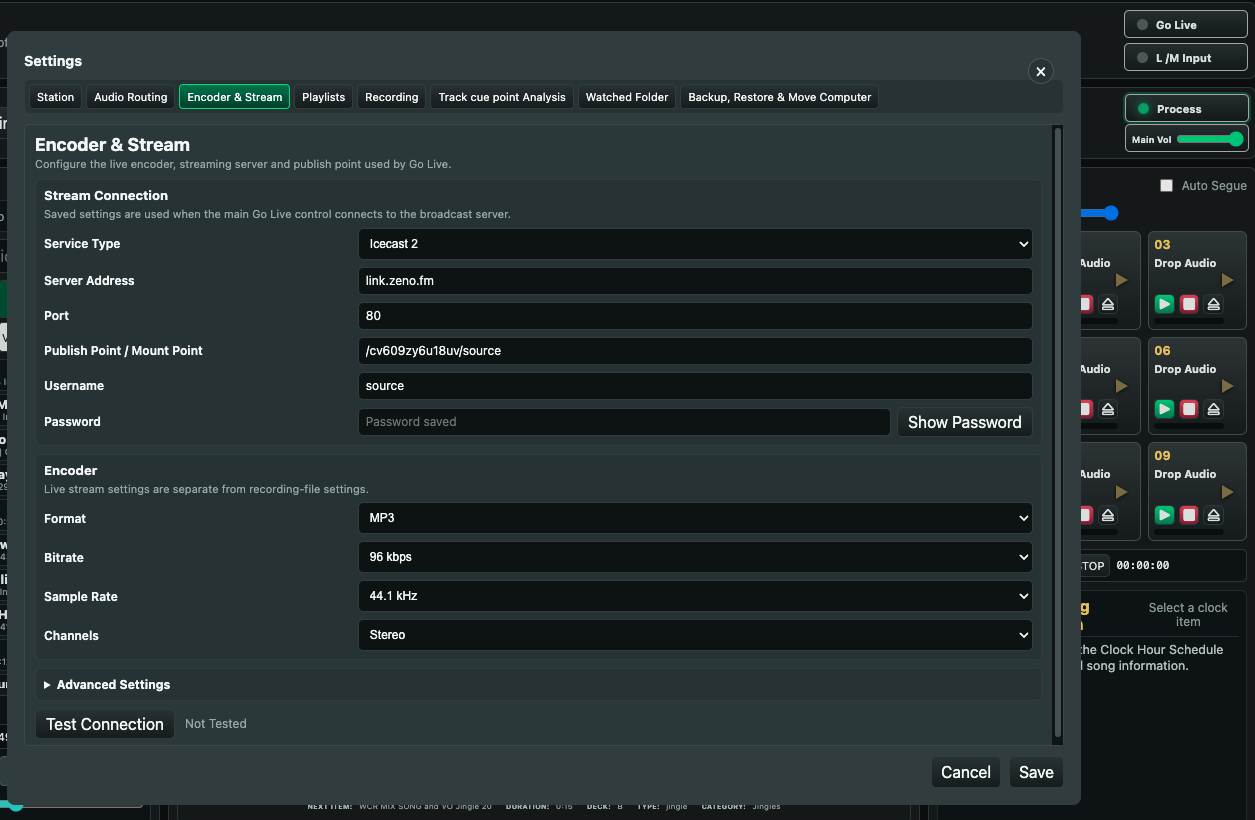
Connect to your compatible streaming service and take the programme live from WM Play with one clear control.
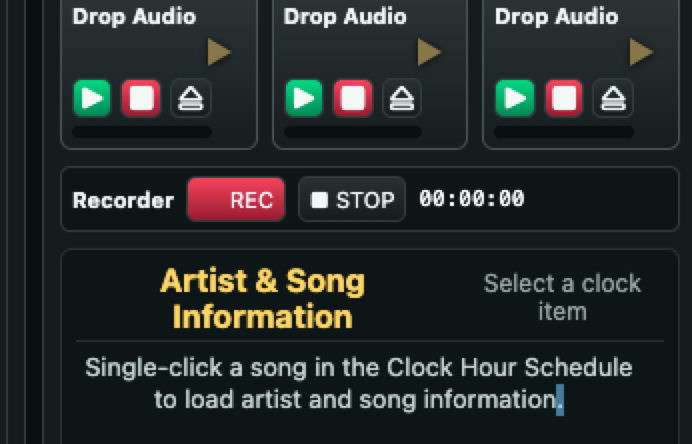
Record a complete show or capture an interview for playback later—all without leaving the playout screen.
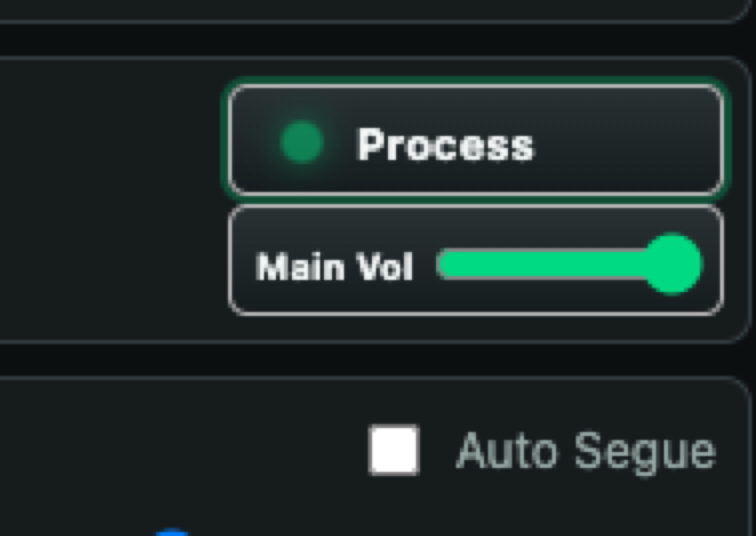
Shape and control the programme sound before encoding, helping every outside broadcast leave WM Play polished and consistent.
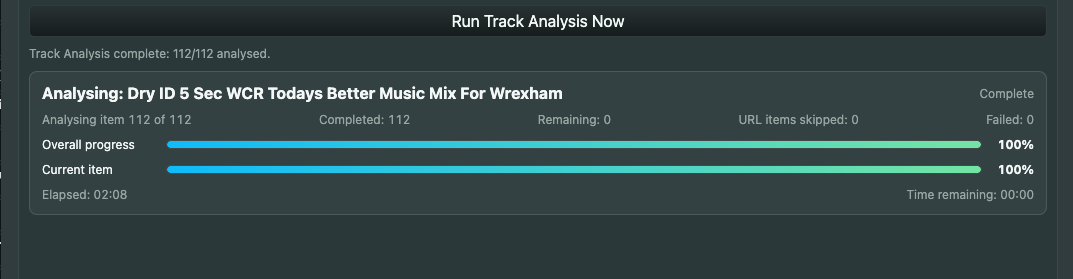
WM Play analyses track cue points as audio is imported, identifying the markers needed for accurate starts, vocals, outros and transitions. Review the results, set markers manually or enter an exact time whenever frame-level precision matters.
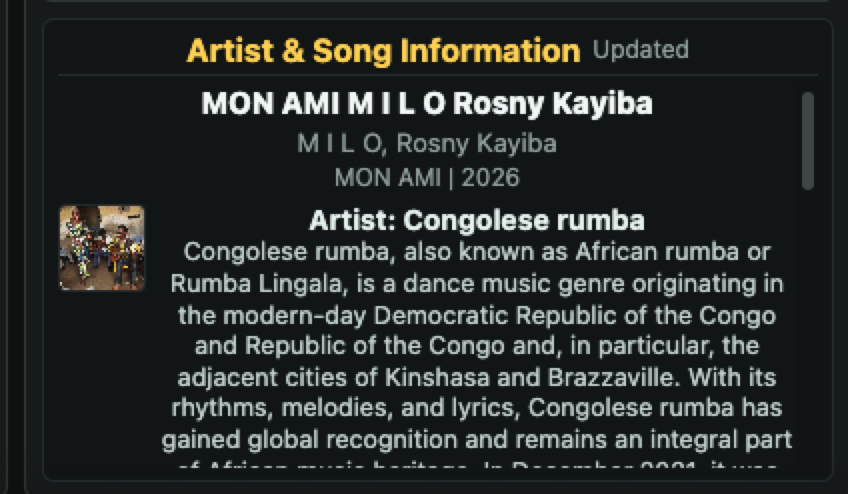
Select a scheduled song to display its artist and song information instantly—useful for confident presentation and accurate links.
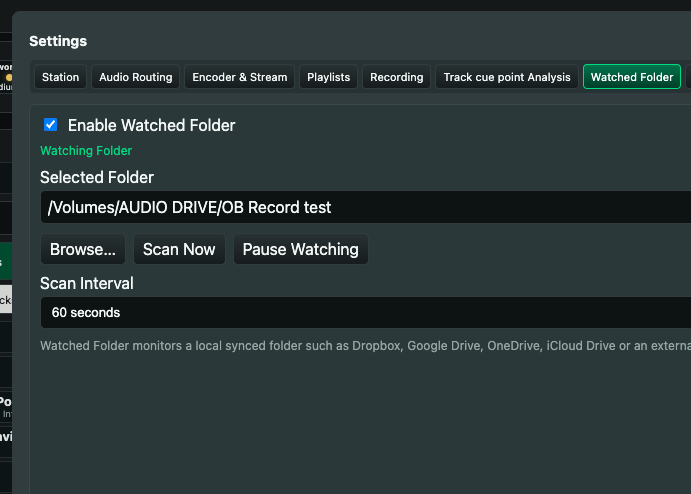
Let colleagues drop audio into your system, or keep regular material such as news, weather and event updates ready to import.
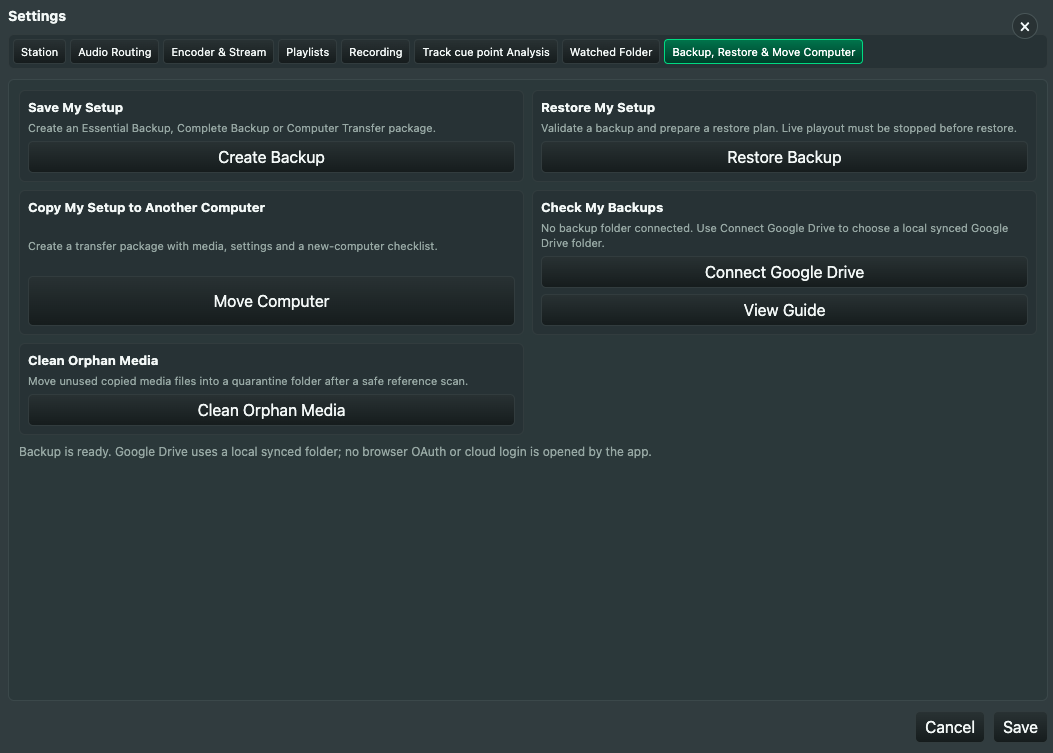
Protect your WM Play data, restore it when needed and move your setup to another computer so the show can run on the machine you need.
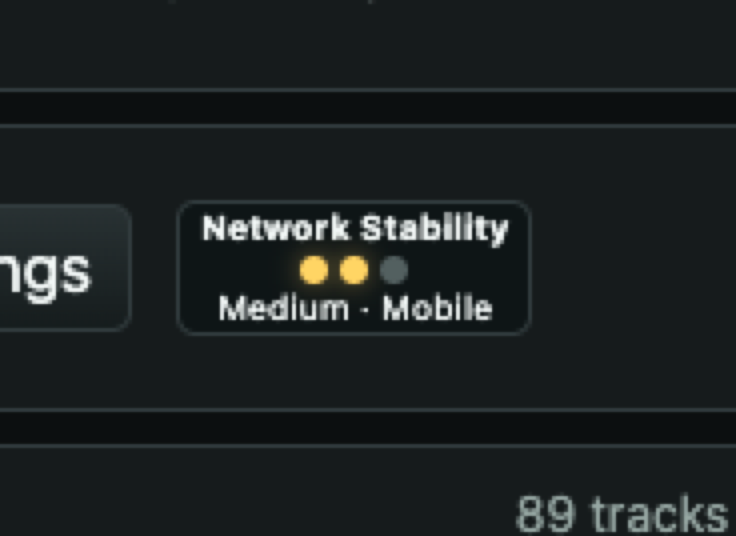
See the strength and stability of the event machine’s network connection at a glance before and during a live broadcast.
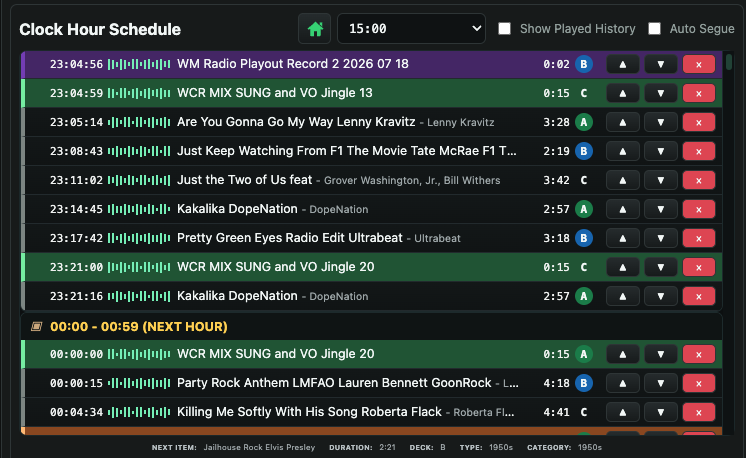
Build and review the playlist before going on location. Arrange music, jingles, Dry IDs, Voice Tracks and other audio into a clear running order, ready for the show.
Built for professional outside broadcasts and roadshows where speed, portability and confidence matter.
A complete live-event workflow
Create a Clock Hour using music, jingles, adverts, Dry IDs, Voice Tracks and other station content. WM Play follows the running order, loads each item and manages the transitions automatically.
Presenters can take control whenever required, making it suitable for live, automated and mixed programming.
WM Play analyses your audio and helps identify where tracks begin, where vocals start and where the next item should play.
Dry IDs and Voice Tracks can sit over music automatically, with smooth volume reduction beneath the voice and recovery afterwards.
Choose your version
Both versions will become available when WM PLAY completes final development and release testing.
Explore the workflow and see how WM Play fits your presenters, outside broadcasts and roadshow operation.
Unlock the complete professional outside-broadcast and roadshow playout system for your team.
Ask about launch news, early demonstrations and trial availability.