Dynamics control
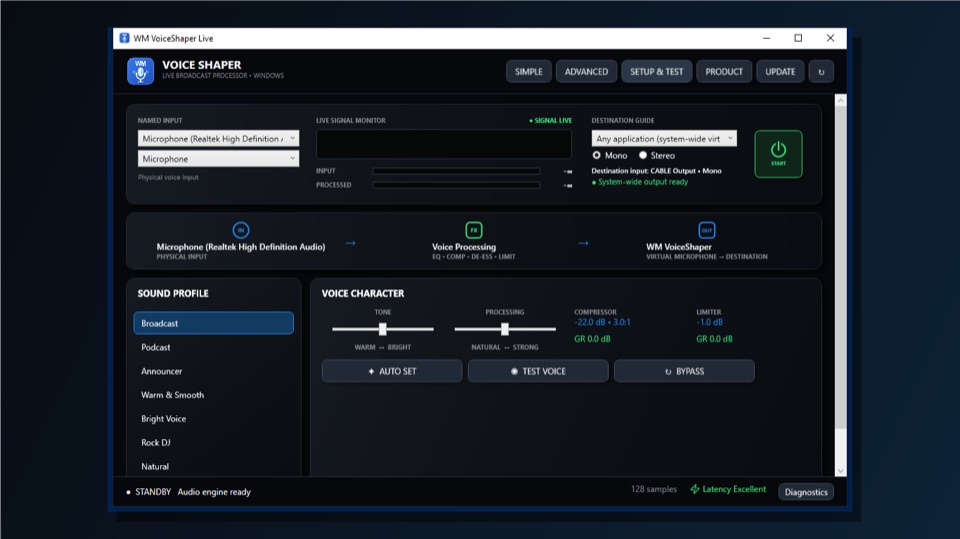
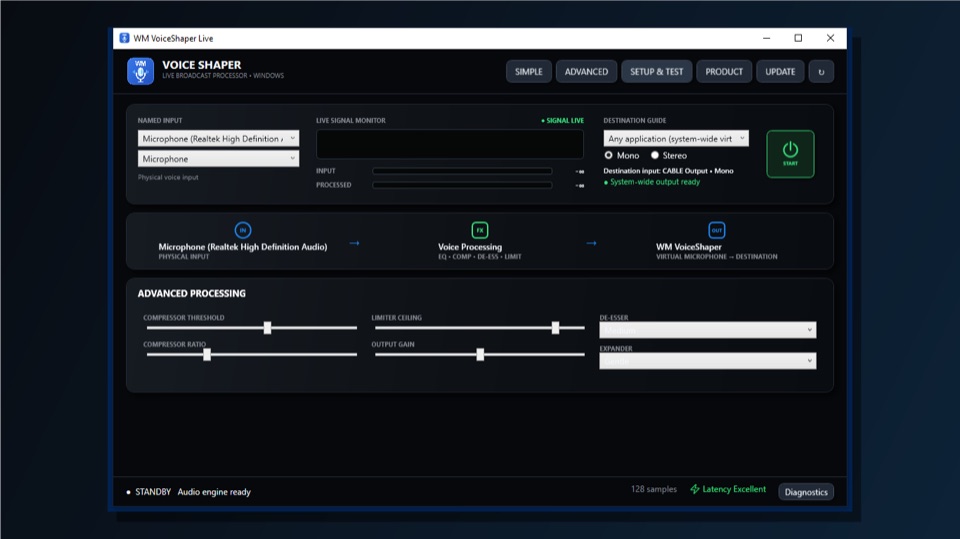
Real-time compressor, limiter, de-esser and expander controls tame levels and improve clarity.

Wrexham Media · Windows voice processing
Professional real-time processing for recording, broadcast and communication software—with a system-wide virtual microphone workflow and audio processed locally on your computer.
Microsoft Store certification is in progress · Product ID 9N0JJ7VFNNB3

Professional processing, clearly controlled
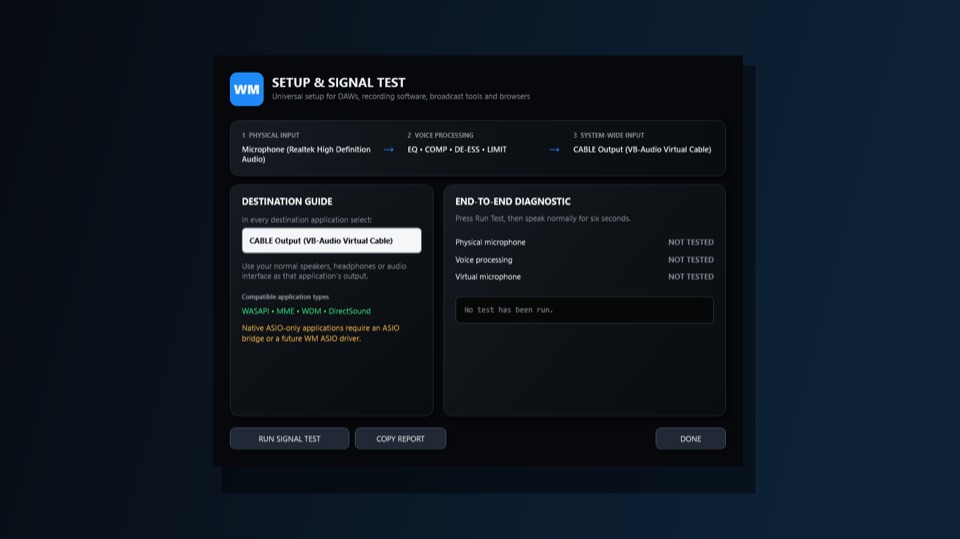
Use VoiceShaper with DAWs, recording tools, broadcast systems and communications applications that can select the virtual audio device—not only one particular editor.
Real-time compressor, limiter, de-esser and expander controls tame levels and improve clarity.
Shape warmth, presence and intelligibility with focused voice contour controls and automatic analysis.
Choose mono or stereo operation and create a system-wide virtual microphone through VB-CABLE.
Responsive meters, signal testing and diagnostics make routing and performance easy to confirm.
What VoiceShaper actually does
VoiceShaper sits between your physical microphone and the application receiving your voice. It improves the signal in real time, then sends the processed result to a virtual microphone that compatible software can use like any other input.
Select the physical microphone or audio interface you already use.
Your voice is balanced, shaped and protected live with no audio upload.
Send the finished voice through VB-CABLE to your chosen application.
Designed for real work
Use the same controlled, consistent sound for podcast recording, radio production, live broadcasting, voiceovers, online meetings, streaming and communications. Any compatible Windows application that can select the VB-CABLE virtual input can receive the processed signal.
Before you start
Designed for 64-bit editions of Windows 10 and Windows 11.
The separate VB-CABLE virtual audio device is required for the system-wide microphone route.
Your recording, broadcast or communication application must allow you to choose an audio input.
Voice processing takes place locally. VoiceShaper does not upload your live microphone audio.
Inside WM VoiceShaper Live
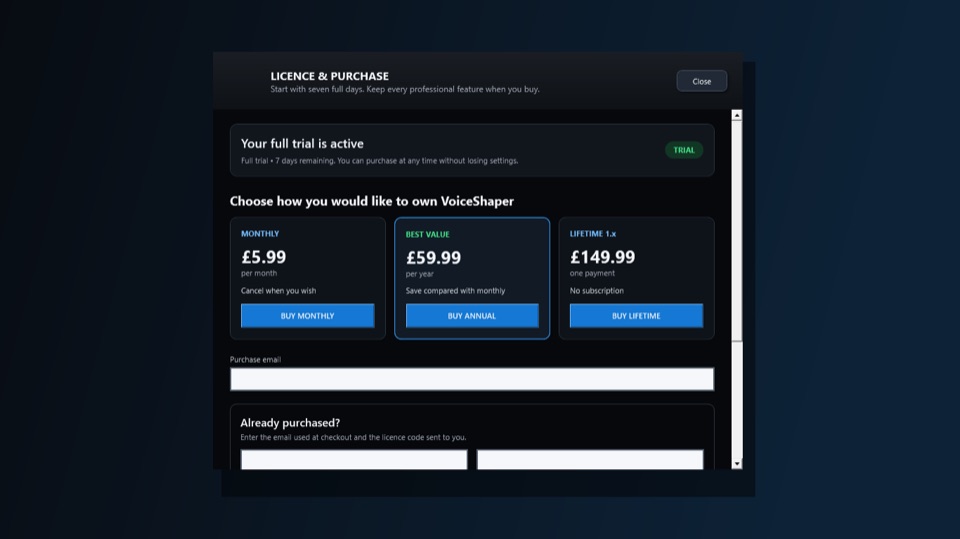
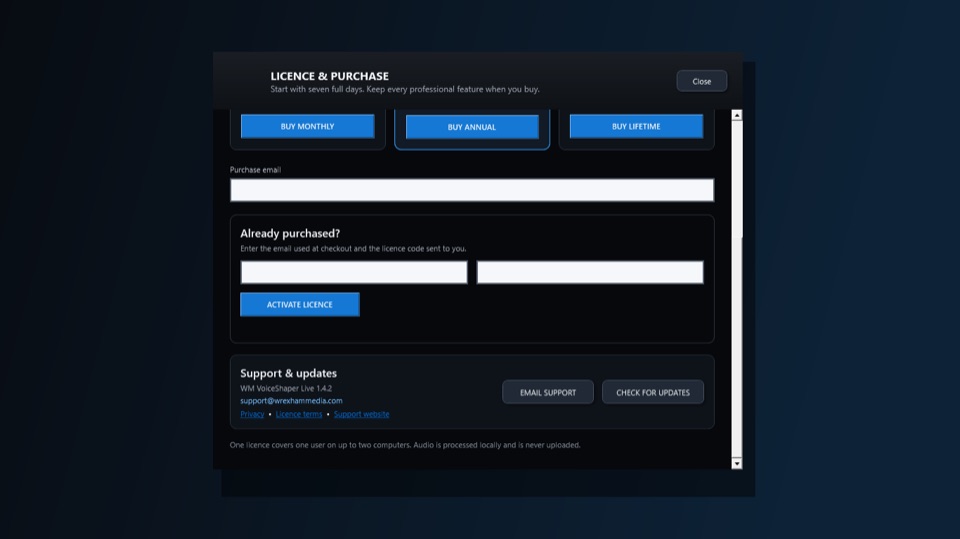
Compact, high-quality views from the Windows 1.4.2 Store build.
Download from the Microsoft Store coming soon.